

Gameplay Screenshots
Showcase
Highlighting
1. Action Combat System
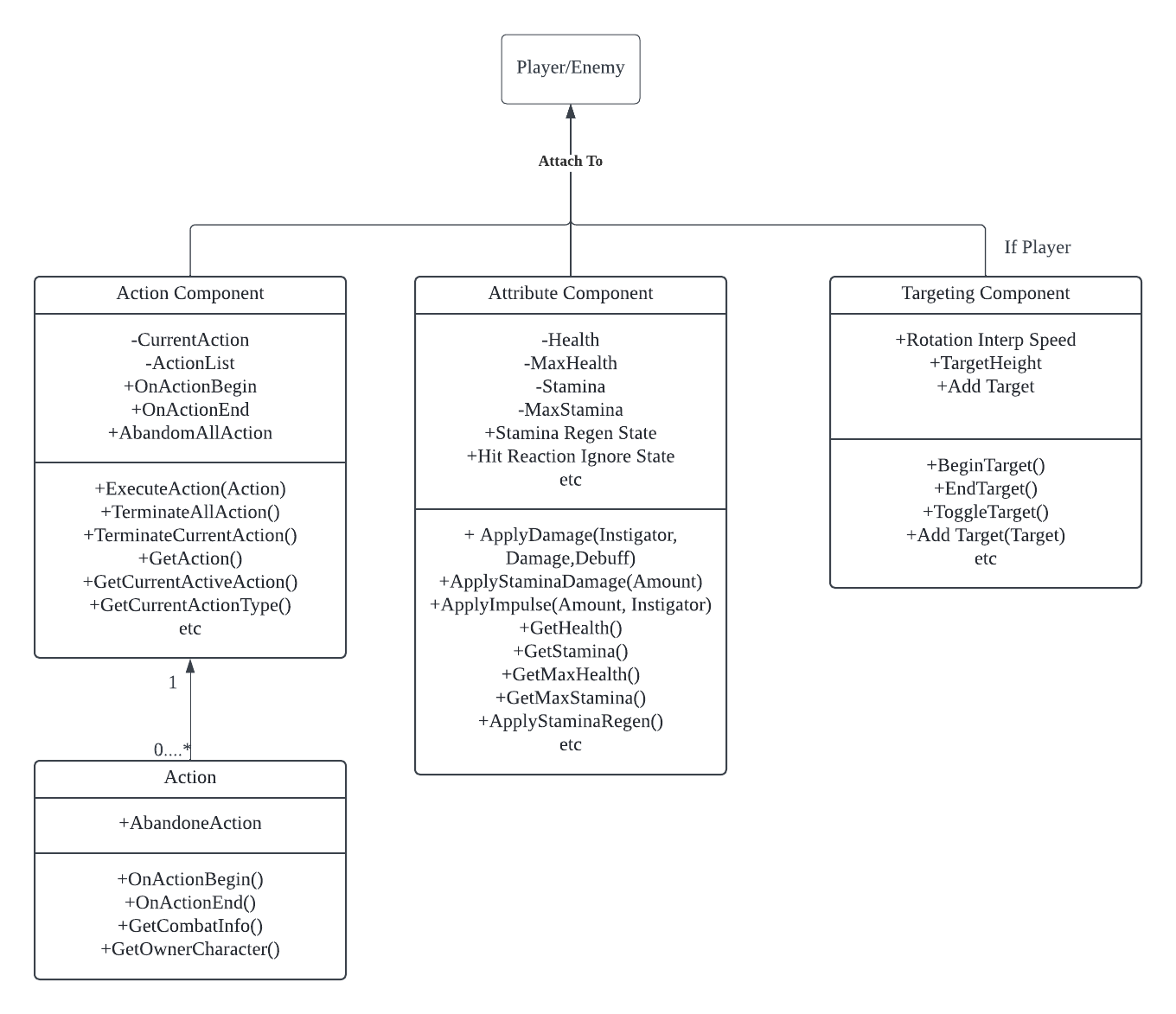
The whole action combat system breaks down into three components: Action, Attribute, and Targeting. I built this system to be simple to use, easy to call C++ functions from blueprints, and aligned with the game’s design goals.
-Action component: The Action Component manages all action behaviors for both AI and players. It handles executing, terminating, or canceling actions. -Attribute component: The Attribute Component manages character stats like health, stamina, hit reactions, and blood spawn effects. -Targeting component: The Targeting Component handles all the camera calculations, including smooth target following and angle calculations for switching between targets.
2. Action Component
Action

Action is the core of the Action Component and represents the actual behavior. All interactions happen inside the Action class. Two key functions in the base Action class are OnActionBegin and OnActionEnd, which handle the implementation of the action behavior. These get called whenever an action starts or ends.

I also added a custom SetTimer event in the action base class to simplify the timer function from Unreal’s API.
Component


All actions are initialized at BeginPlay based on character type (player or enemy). The initialization reads from a data table where the user assigns actions to each character type enum.
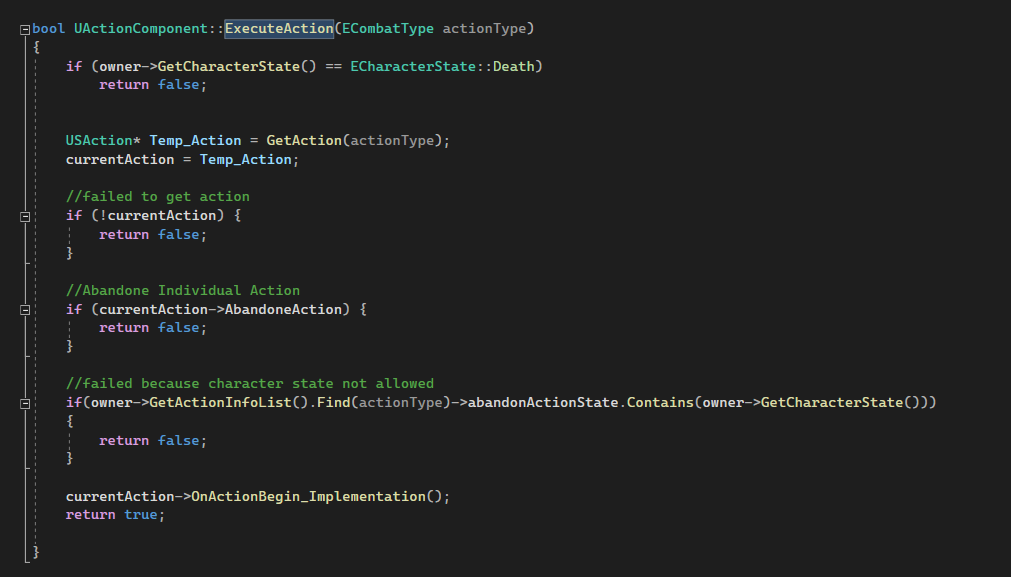
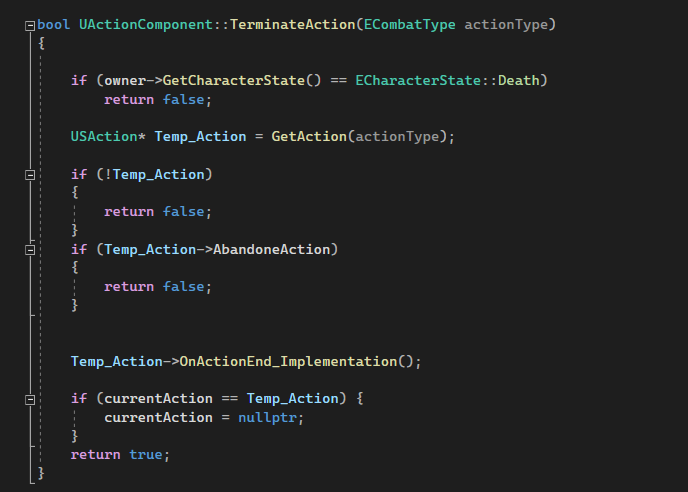
Actions can be executed and terminated. For the player, these triggers are set up in blueprints. For AI, they fire as tasks inside the behavior tree based on the AI’s current state.
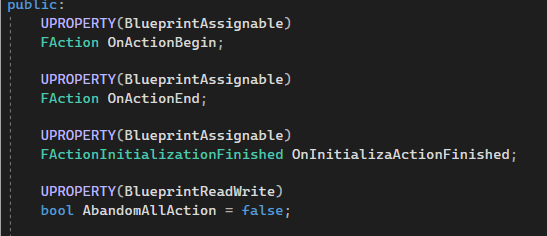
I also added dynamic multicast delegates to the Action Component. This makes it easier to hook up functions quickly in blueprints. Whenever an action starts or ends, the system provides a reference to the active action, which gives more flexibility for other systems to respond.
3. Attribute Component
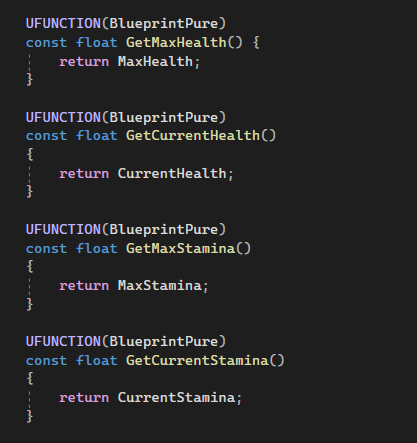
The attribute component will basically be responsible for some of the most important properties of a character like health, stamina and so on. First of all, it provides variable access for both blueprints and C++.
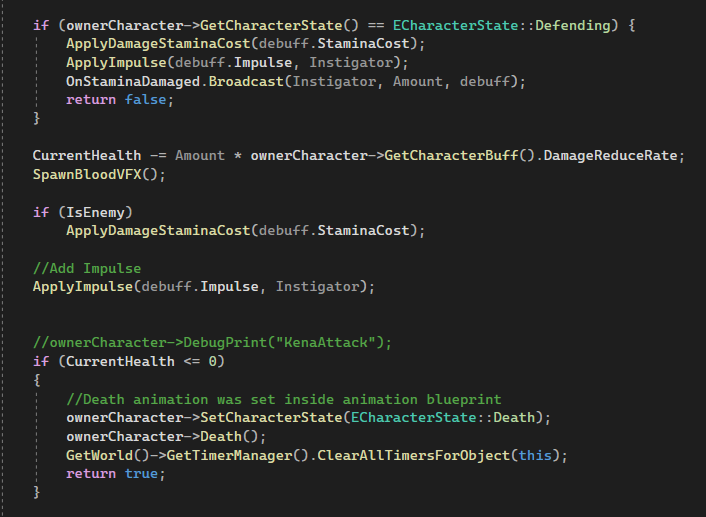
Since the attribute component is managed health and stamina, it will also have a common function that applies the damage to the character that will be deducted to either health or stamina. This function will also be responsible for spawning blood vfx, applying an impulse to the character when they are being attacked. The actual function of applying damage was created in a functional library blueprint as a static function. Therefore, program don’t need to take into account casting or getting component references whenever program try to apply damage to certain characters.

Like the Action Component, the Attribute Component also provides dynamic multicast delegates for a more flexible and convenient development environment.
4. Targeting Component
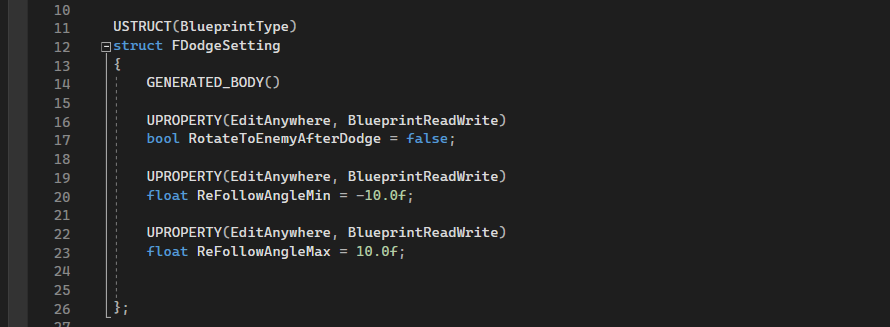
The Targeting Component uses a struct to manage mesh rotation, which was needed because the player can dodge or roll.
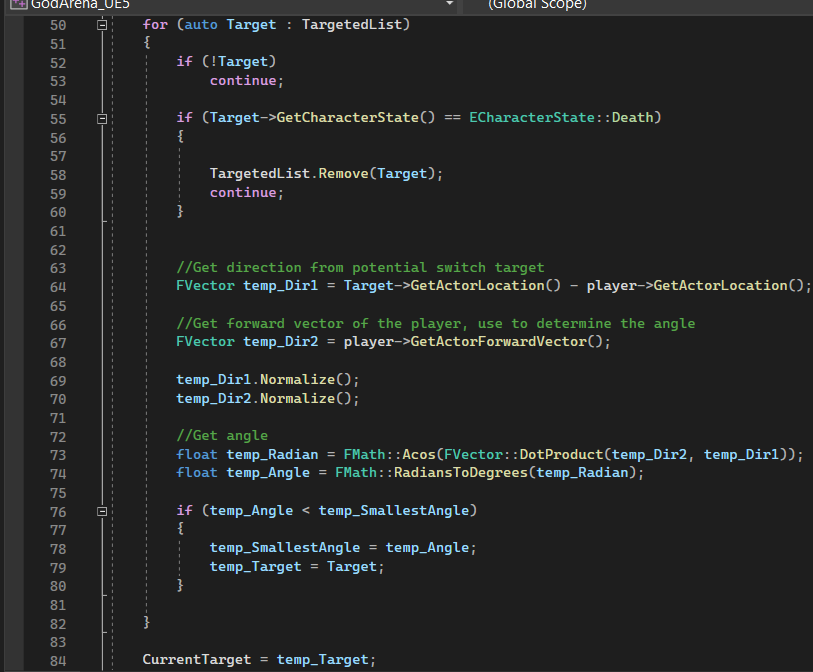
When the player tries to target an enemy, the system runs a calculation first to pick the most eligible enemy before the actual targeting logic kicks in.
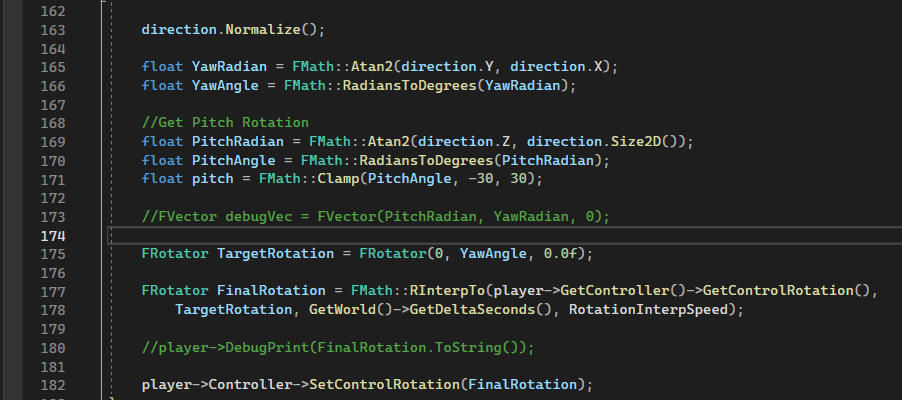
For the core camera rotation logic, I chose to calculate it step by step. This gave me more control over the entire process.
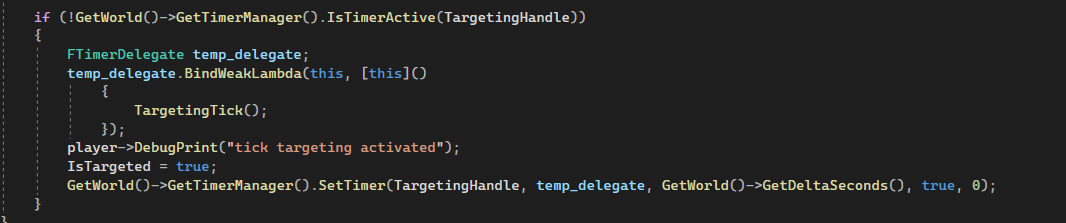
This entire calculation runs inside a loop timer. The timer only activates when the player starts locking onto a target.
5. AI
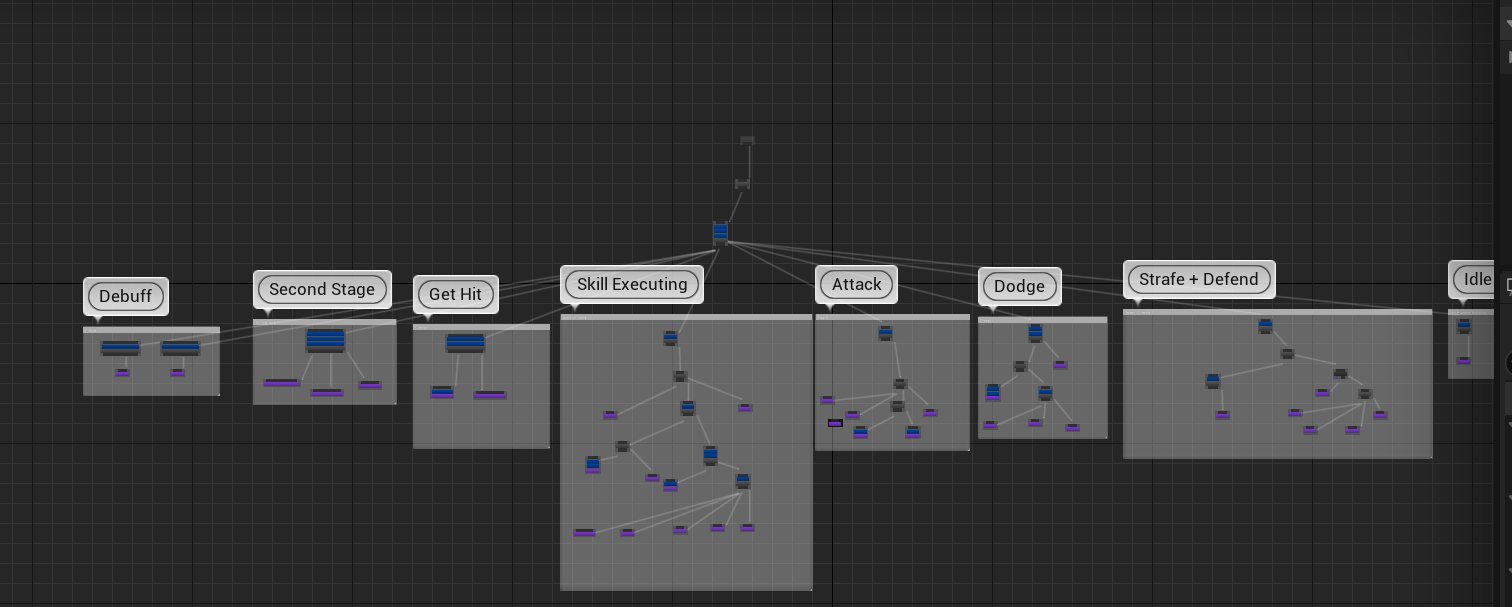
The AI uses an enum character state to determine behavior. Debuffs like stuns or getting knocked to the ground get priority and will abort other behaviors. Aside from that, most AI behavior is handled by the Action Component.
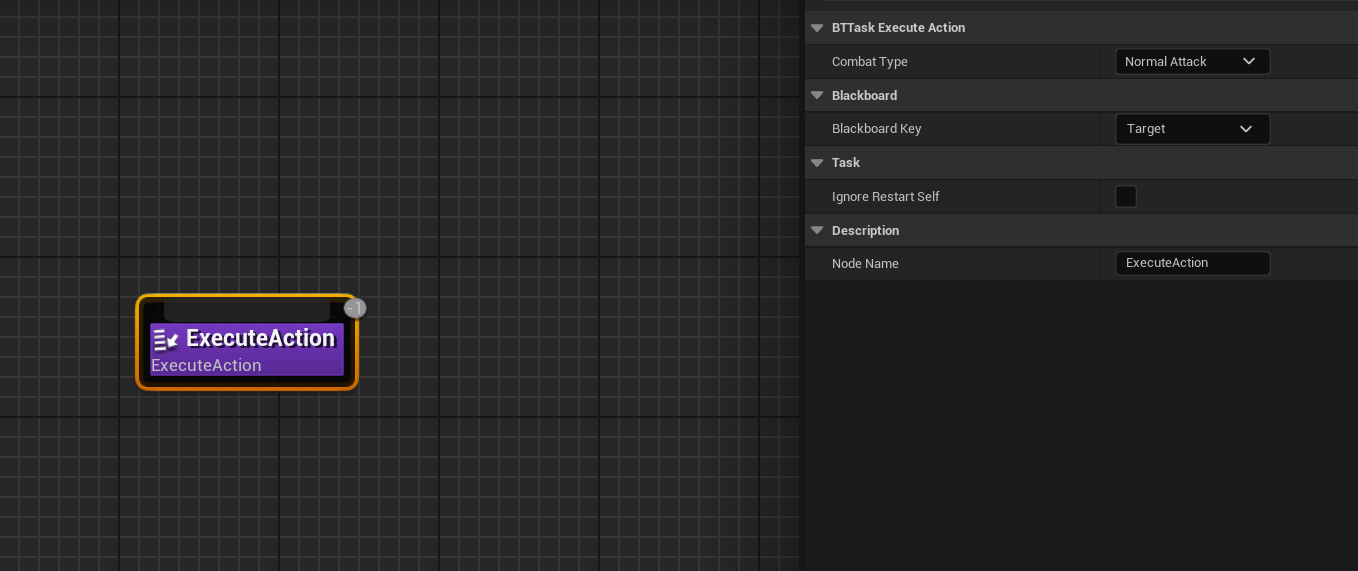
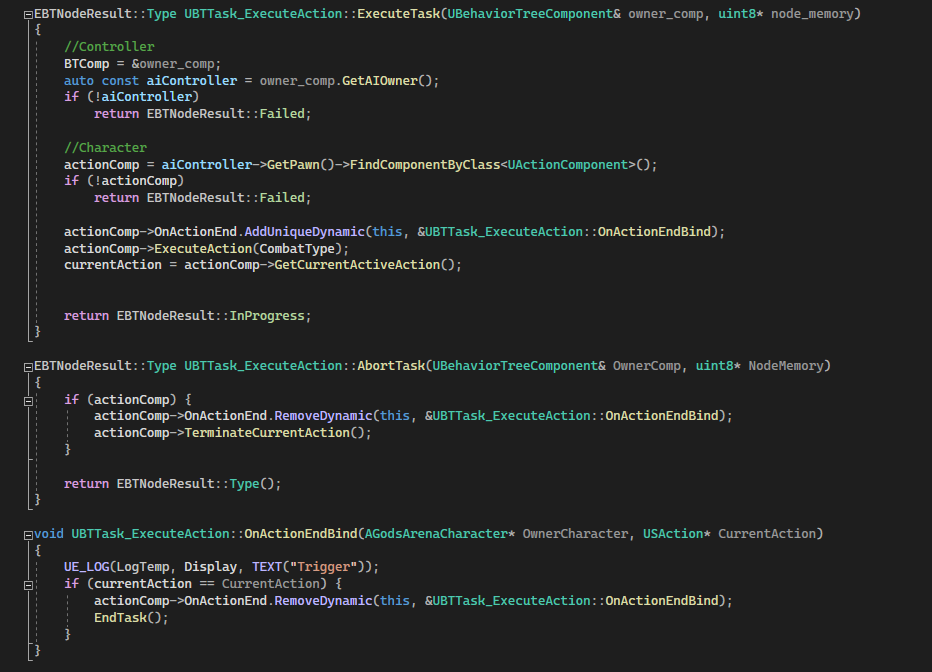
Here’s an example of how I tied the system to the AI. The AI simply executes an action from the action map. Once the action finishes, the task ends.